Adding stock Follow

To add items to your inventory, follow these steps:
1. From the Products menu, select Product List.
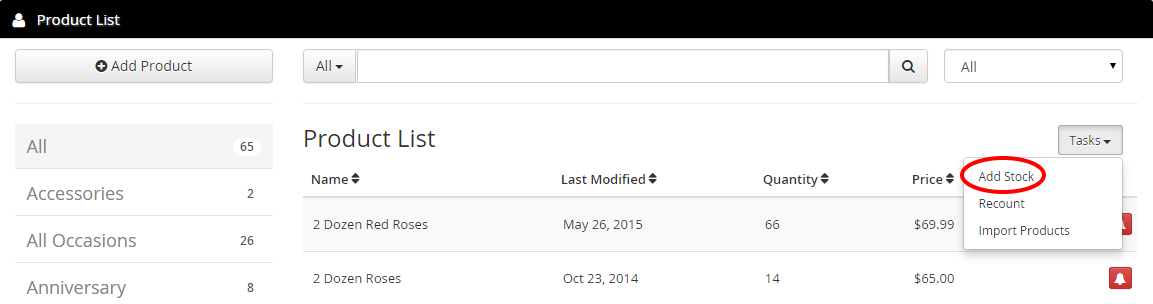
2. From the Tasks drop-down menu, click Add Stock.
3. In the Incoming Qty field, enter the number of items that you would like to add to your inventory.
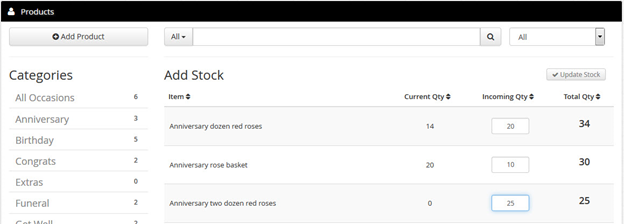
4. Click Update Stock.
Comments
0 comments
Article is closed for comments.